
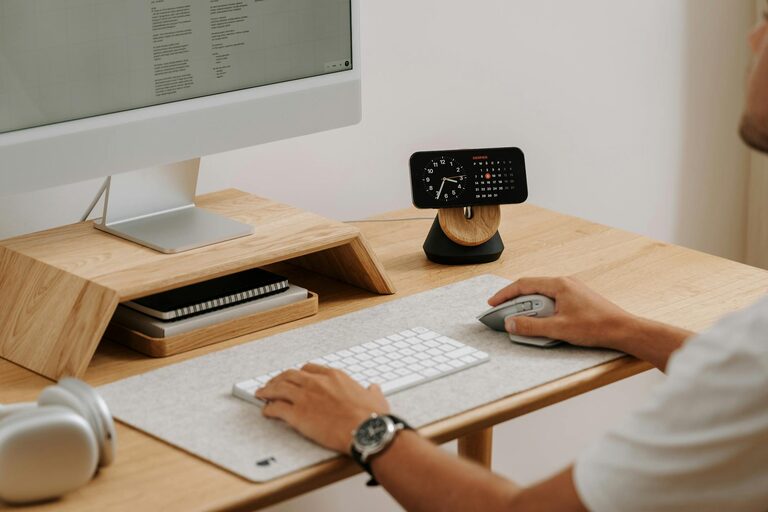
Creating a productive home office environment is essential for anyone working remotely or freelancing. A well-designed workspace can improve focus, reduce stress, and enhance overall efficiency. Whether you are new to working from home or looking to improve your current set-up, these tips will guide you in creating an environment that supports your best work.
Choose the Right Location
Selecting the right spot in your home for your office is the first step towards productivity.
– Quiet and Private: Choose a place with minimal distractions and noise. This helps to maintain concentration throughout the day.
– Natural Light: Position your desk near a window if possible. Natural light can reduce eye strain and improve mood.
– Space: Ensure there is enough room for your computer, paperwork, and other office essentials.
If space is limited, consider a corner or a section of a room dedicated solely to work. Using room dividers or screens can help create a sense of separation from home life.
Invest in Ergonomic Furniture
Comfort is key when spending long hours at a desk.
– Ergonomic Chair: Choose a chair that supports good posture with adjustable height and lumbar support.
– Desk Height: Your desk should be at a height where your forearms are parallel to the floor when typing.
– Monitor Position: The top of your computer screen should be at or slightly below eye level to prevent neck strain.
Investing in quality furniture may seem costly but pays off in health and productivity.
Organise Your Workspace
Keeping your desk tidy and organised helps your mind stay clear.
– Declutter Regularly: Remove unnecessary items that can cause distractions.
– Use Storage Solutions: Drawers, shelves, and organisers keep documents and tools within reach but out of sight.
– Cable Management: Use clips or ties to manage cables and avoid a tangled mess.
An organised workspace promotes efficiency and reduces time spent searching for things.
Ensure Adequate Lighting
Lighting affects your focus and comfort.
– Natural Lighting: As mentioned, natural light is beneficial but avoid glare on your screen.
– Task Lighting: Use desk lamps with adjustable arms to illuminate specific areas.
– Soft, Warm Lighting: Avoid harsh fluorescent lights by choosing bulbs with warm tones to create a calming atmosphere.
Balanced lighting can reduce eye strain and keep you alert.
Establish Boundaries and Routine
Setting clear boundaries helps separate work from home life.
– Set Working Hours: Keeping regular hours establishes discipline and makes it easier to ‘switch off.’
– Dress for Work: Changing from home clothes to work attire can signal your brain to focus.
– Communicate Boundaries: Inform family or housemates of your work schedule to minimise interruptions.
A routine supports productivity and mental wellbeing.
Personalise Your Space
Adding personal touches can make your office inviting and inspiring.
– Plants: Indoor plants improve air quality and create a calming environment.
– Artwork or Photos: Choose images that motivate or relax you.
– Colours: Use colours that suit your work style. For example, blue can enhance focus, while green may reduce anxiety.
Personalisation helps to create a space you enjoy spending time in.
Minimise Distractions
Minimising distractions is crucial for maintaining concentration.
– Turn Off Notifications: Disable non-urgent alerts on your phone and computer during work hours.
– Use Noise Cancelling Headphones: These can help block out background noise.
– Break Space Separation: Avoid working in areas associated with leisure, like the sofa or bed.
Creating a dedicated work mindset aids in focus and productivity.
Incorporate Movement and Breaks
Taking short breaks and moving regularly prevents burnout.
– Pomodoro Technique: Work for 25-minute intervals followed by short breaks.
– Stretching: Stand, stretch or walk around every hour to relieve tension.
– Hydration and Snacks: Keep water and healthy snacks at hand to maintain energy.
Movement improves circulation and keeps your mind fresh.
Utilise Technology Wisely
Tools and apps can help streamline your tasks.
– Task Management Apps: Use tools like Trello or Asana to organise work.
– Calendars and Reminders: Schedule meetings and deadlines to stay on track.
– Reliable Internet: Ensure your connection is strong enough for video calls and online collaboration.
Technology should support, not overwhelm, your workflow.
Maintain Cleanliness
A clean office reduces stress and promotes a healthy environment.
– Regular Cleaning: Dust surfaces and clean screens routinely.
– Sanitise Hands: Especially important if sharing equipment or working in shared spaces.
– Ventilate: Open windows or use air purifiers for fresh air.
Cleanliness contributes to comfort and wellbeing.
—
By implementing these tips, you can create a home office environment that not only supports your work but also enhances your overall comfort and satisfaction. A thoughtful workspace helps balance productivity with wellbeing, making your work-from-home experience more enjoyable and efficient.