
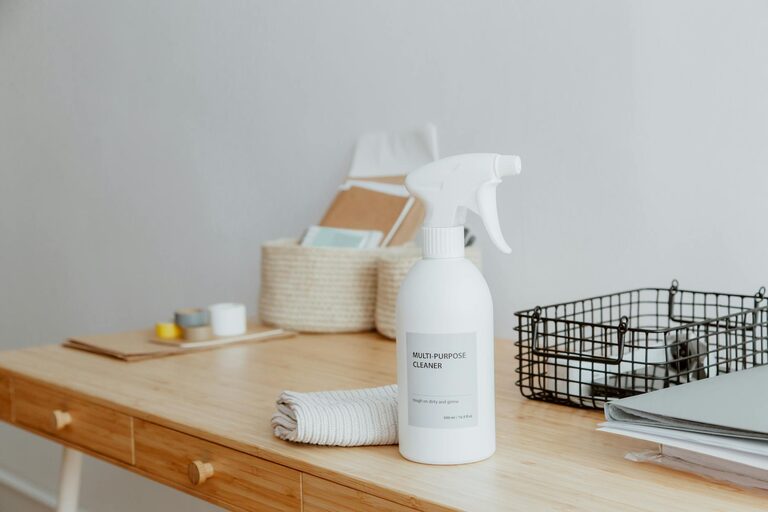
Creating a clutter-free home office can make a huge difference in how productive and comfortable you feel while working. Whether you’re a freelancer, remote employee, or someone who occasionally works from home, having a tidy desk and organised space helps reduce stress and allows you to focus better on your tasks. This guide provides simple, practical tips to organise your home office and keep it clutter-free.
Why a Clutter-Free Office Matters
Before diving into the tips, it’s helpful to understand why keeping your workspace organised is worthwhile. A clutter-free office:
– Boosts productivity by minimising distractions
– Creates a calm, inviting environment
– Helps you find things quickly without wasting time
– Encourages better work habits and routines
– Improves overall wellbeing while working from home
With these benefits in mind, here are easy steps to help you organise your home office.
1. Choose the Right Location
Select a spot in your home that’s quiet and free from household distractions. Ideally, this space should have:
– Good natural light, if possible
– Enough room for your desk and chair
– Easy access to power outlets
Having a dedicated work area helps separate work life from home life and makes it easier to maintain organisation.
2. Declutter Your Desk Daily
At the end of each workday, spend a few minutes clearing your desk. Put away papers, files, and stationery that you don’t need immediately. Don’t let clutter accumulate – starting fresh each morning sets you up for a productive day.
Quick daily declutter tips:
– Use trays or baskets for loose papers
– Return pens and tools to holders or drawers
– Clear away coffee cups or water bottles
3. Use Storage Solutions Wisely
Effective storage keeps clutter out of sight and your workspace clear. Consider these options:
– Shelving: Wall shelves free up desk space and store books or decorative items
– Filing Cabinet: Store important documents safely and organised by category
– Drawer Organisers: Keep stationery and small items neatly separated
– Boxes or Bins: Labelled boxes can hold cables, chargers, or supplies
Aim to keep only essentials on your desk surface and use these storage tools to organise everything else.
4. Embrace Minimalism on Your Desk
Try to keep your desk surface as minimal as possible. Limit items to essentials like your computer, mouse, notepad, and a pen holder. Avoid overcrowding with gadgets or unnecessary decoration.
A clean, spacious desk promotes clearer thinking and reduces the temptation to procrastinate.
5. Manage Cables and Chargers
Messy cables can make an office look chaotic. To keep cables under control:
– Use cable ties or clips to bundle cords neatly
– Label cables so you know which charger belongs to which device
– Try wireless peripherals if possible
– Route cables behind your desk to keep them out of sight
This small step improves both the look and safety of your home office.
6. Set Up a Paper Management System
Piles of paper can quickly create clutter. Create a simple system for handling documents:
– A labelled ‘Inbox’ tray for incoming papers
– A ‘To Do’ section for important tasks or bills
– A filing system for storing paperwork you want to keep
– A shredder or recycling bin nearby for unwanted mail
Try to process paper regularly rather than letting it pile up.
7. Personalise Your Space Minimally
Personal touches, like a small plant or a favourite photo, can make your office more welcoming. However, keep these items minimal to avoid clutter.
Choose one or two things that inspire you without crowding your desk or shelves.
8. Keep Digital Files Organised Too
An organised physical space helps, but it’s also important to maintain your computer files. Create clear folders and delete unnecessary documents periodically to avoid digital clutter that can slow you down.
Use cloud storage or backups to protect your work.
9. Schedule Regular Tidying Sessions
Set a weekly or biweekly appointment on your calendar to tidy and reorganise your workspace. This prevents clutter from building up again.
Use this time to:
– Sort through paperwork
– Clean surfaces and equipment
– Reassess your storage needs
Consistent maintenance is key to keeping your home office clutter-free over time.
Final Thoughts
A clutter-free home office doesn’t require expensive furniture or complicated systems. By choosing the right location, using smart storage, keeping daily habits of tidying, and managing both physical and digital organisation, you can create a workspace that supports your productivity and wellbeing.
Start with one or two tips today and gradually build habits that make your home office a place you enjoy working in every day.